We use cookies to make your experience better. To comply with the new e-Privacy directive, we need to ask for your consent to set the cookies. Learn more.


What's New in SMS 14.0
The following is a list of the more significant changes and new features available in SMS 14.0.
Keep your license current by paying annual maintenance to continue receiving all available updates, releases, and technical support. New licenses include maintenance for 1 full year.
Undo/Redo - Map Coverage
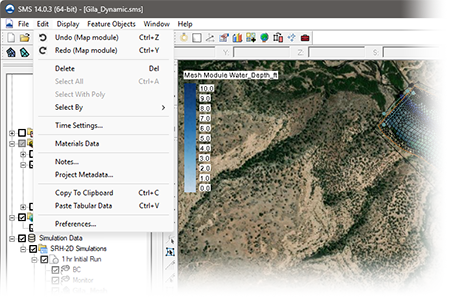
When creating a coverage in the map module, attributes such as points, arcs, and polygons are used to create the conceptual model. Undo and Redo commands are now supported for the most frequently used coverage types. - Watch feature highlight
SRH-2D Interface Updates
-
SRH-2D GPU Supported
-
NLCD for materials
-
Improved performance for file read/write and display updates for projects with more than 10 simulations
-
Updates to the Summary Report - Watch feature highlight
-
Tool for setting coverage elevations (interpolating to coverages from raster or scatter or from a constant value) - Watch feature highlight
-
Easy workflow for vertical abutments in 3D structures - Watch feature highlight
-
View properties of updated structures (View Structures Map) - Watch feature highlight
-
Multi-barrel culverts - Watch feature highlight
-
3D Structure Summary- Watch feature highlight
-
Select item in project
CMS Flow Interface Updates
SMS 14.0 introduces a new sediment mapping interface for CMS Flow, making it possible to designate and track sediment tracers through a model domain without manual file editing. The new interface handles coverage setup, bed layer configuration, and dataset creation within SMS, reducing setup time and the potential for error.
Toolbox Updates
-
Tree picker for easier tool navigation and selection - Watch feature highlight
- Favorites folder - keep track of frequently used tools by selecting tools for use in your favorites folder
-
Geopackage to Shapefile conversion tool
-
Improved extract features tool - Watch feature highlight
-
Dataset Calculator
-
Raster Calculator
-
Clean shapes
-
Interpolate data from multiple Rasters at once to create a dataset for each raster.
-
Interpolate to UGrid (batch) for interpolating multiple datasets to a UGrid.
-
Linear Interpolation to UGrid (batch) for interpolating multiple datasets to a UGrid.
- User-defined tools — load custom Python tools within the SMS Toolbox Watch - Chandler (link: https://github.com/Aquaveo/user_tool_examples)
WAVEWATCH III Interface (Beta)
SMS 14.0 introduces a new WAVEWATCH interface currently available in beta. WAVEWATCH III (WW3) is a third-generation spectral wave model developed by NOAA/NCEP for simulating wave propagation and transformation across coastal and open ocean environments. It is widely used for wave forecasting, hindcasting, and engineering applications at regional and global scales.
SRH-2D GPU Now Available
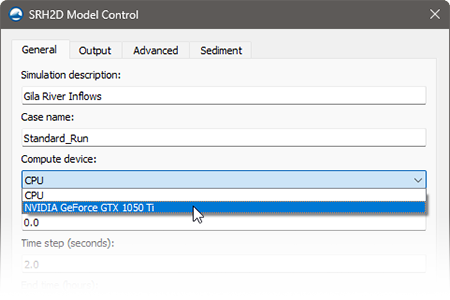
SMS 14.0 introduces GPU-accelerated solving for SRH-2D. The GPU solver significantly reduces run times for larger domains and extended simulation periods.
A dedicated graphics card is required, and performance scales with the card's capabilities.
For smaller models, the CPU solver is still available giving modelers the flexibility to choose which solver is best for a specific model. - Watch feature highlight
ADCIRC Interface Updates
-
Enhanced levee tools
-
Support for non-periodic river boundary conditions
-
Naval fleet wind format support
-
Improved fort.13 dataset creation
-
Default mainland/island boundary condition assignment
-
Support for multiple boundary condition coverages
-
ADCIRC Mesh Update & Review
-
Subgrid Workflow (performance improvements)
Wave Spectra
-
Direct support of loading WIS portal wave data
-
Improved spectral generation from parameters - Watch feature highlight
-
Enhanced spectral visualization functionality - Watch feature highlight
Map Module
- Observation plot with any arc
- Tool for setting coverage elevations (interpolating to coverages from raster or scatter or from a constant value)
-
New vertex redistribution options including insert/filter redistribution for precise control over arc vertex spacing
-
Select Intersecting Objects by arcs — select mesh nodes/elements, scatter points, UGrid points or cells, and Cartesian grid cells within a specified tolerance of selected arcs
-
New “Select Polygon Arcs” command — right-click a selected polygon to select all arcs on its border and holes simultaneously
PTM Interface (Beta)
SMS 14.0 includes a fully rewritten PTM interface supporting simulation-based modeling, currently available in beta.
FUNWAVE Interface (Beta)
SMS 14.0 introduces a new FUNWAVE interface currently available in beta. FUNWAVE-TVD is a fully nonlinear Boussinesq wave model developed for nearshore coastal environments, and is the approved and recommended Boussinesq wave model for USACE applications. It resolves phase-dependent wave processes including wave propagation and transformation, wave breaking, runup and overtopping, harbor resonance, and vessel-generated waves — capabilities not available in phase-averaging wave models.
Quick Display Options Panel
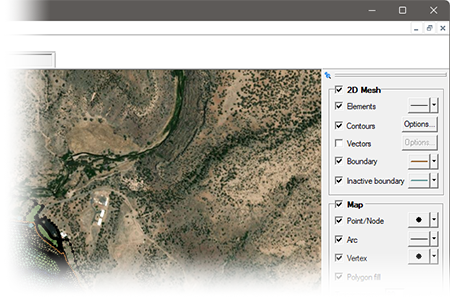
A convenient display panel has been added to the right of the graphics window with sections for 2D Mesh and Map. Display options can quickly be made to mesh attributes and map coverages. Changes are reflected instantly to the model in the graphics window. - Watch feature highlight
Visualization and Display
-
Display Theme improvements for contours and vectors - Watch feature highlight
-
Display Theme improvements for views - Watch feature highlight
-
Updated contour options (view based min/max) - Watch feature highlight
-
Profile plot improvements including fixes to the second Y axis and a new option to invert plots on the second Y axis
AdH Interface updates
-
Vessel coverages with support for reading and writing .bt vessel files
-
Tidal harmonics can be pulled from database sources and converted to time-series input for the AdH boundary condition file
-
Data calculators for bed elevation, Froude number, initial depth, and water surface elevation datasets
-
Support for reading AdH XDMF grid files
-
Support for reading and writing vegetation cards
New Tutorials
- SRH-2D NLCD
- ADCIRC Course - ??? (11 tutorials)
- ADCIRC Levee Mesh
- ADCIRC Levee Options
- ADCIRC Levee Simulation
- ADCIRC River
- FUNWAVE Introduction - New!
- FUNWAVE Breakwater - New!
- FUNWAVE Reef
As always, our comprehensive tutorials are free to download and provide step-by-step instructions on using SMS. Download tutorials at the SMS Learning Center
SCHISM Interface (Beta)
SMS 14.0 introduces a new SCHISM interface currently available in beta. SCHISM (Semi-implicit Cross-scale Hydroscience Integrated System Model) is an open-source model designed for simulating 3D baroclinic circulation across environments ranging from rivers and estuaries to continental shelves and open ocean. Its unstructured grid framework makes it well suited for cross-scale coastal applications including storm surge, sediment transport, and coastal flooding.
RSM Interface (Beta)
SMS 14.0 introduces a new RSM interface currently available in beta. The Regional Simulation Model (RSM), developed by the South Florida Water Management District, simulates complex regional hydrology including surface water and groundwater movement across canal networks, water control structures, and natural terrain. RSM is particularly suited to Everglades restoration and South Florida water resource management.
The following is a list of the more significant changes and new features available in SMS 13.4.
SRH-2D Interface Updates
A number of new and improved features to the SRH-2D model and interface include:
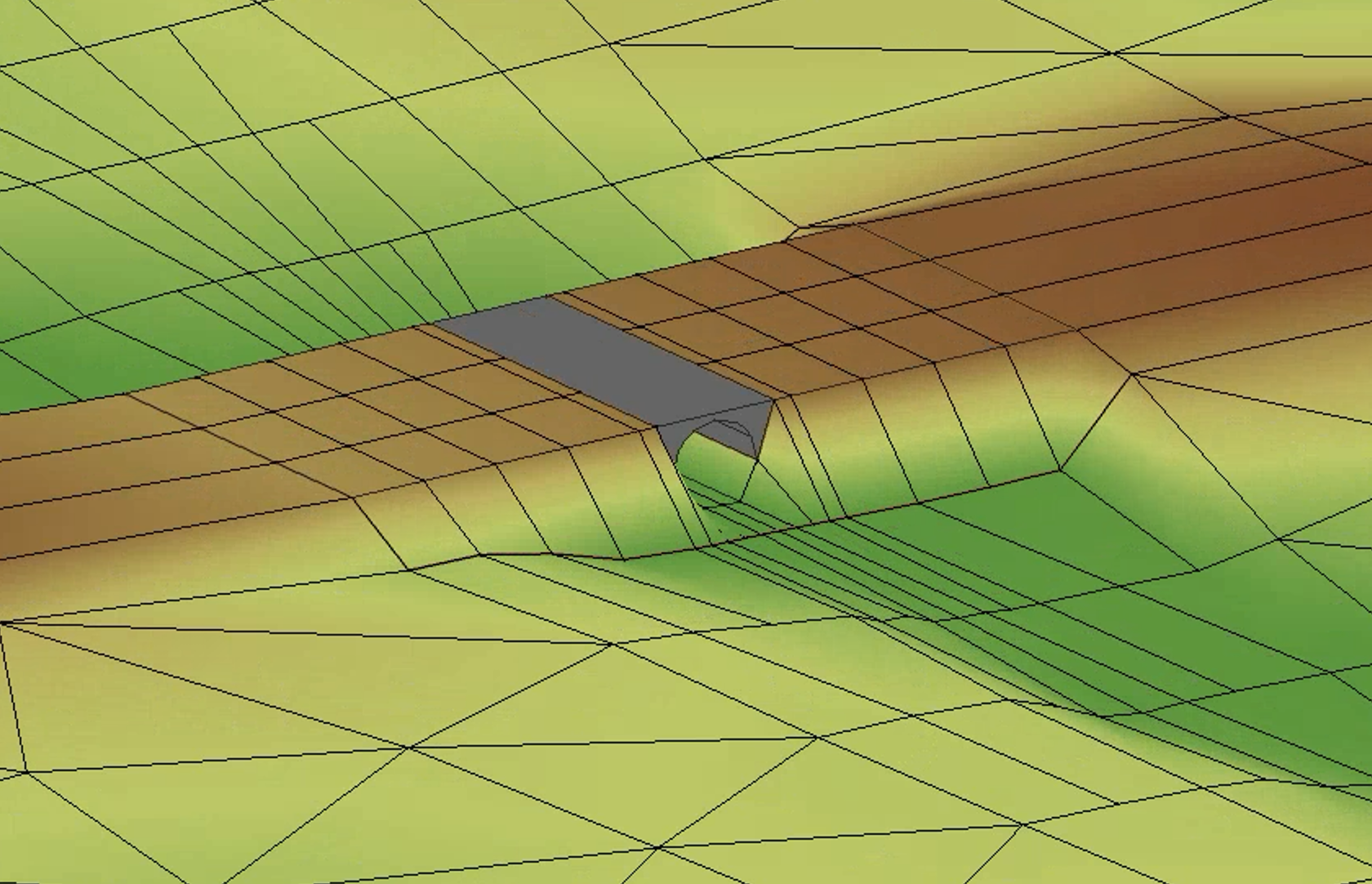
- Elevation tolerance and quality checks to ensure HY-8 culvert elevations align with 2D geometry.
- Additional options for Monitor line and Simulation Plots
- Sediment Flux Plot
- Table option added to SRH-2D Inlet-Q BC sediment inflow
- Termination criteria added
- HY-8 elevation tolerances added to SRH-2D Culvert HY-8 boundary conditions
- Structures plot map command added to SRH-2D Simulation Tools menu and summary report
- Label options for SRH-2D Boundary Conditions
Toolbox Improvements
Many new tools have been added or updated to aid with dataset processing and editing 2D geometry. Other model-specific tools have been added for GSSHA, OceanMesh, and SCHISM.
2D Mesh Improvements
- New Locked Nodes Dataset tools
- Set Locked Nodes Dataset
- Unset Locked Nodes Dataset
- Select Locked Nodes
- A check has been added when loading a mesh from a 2dm, h5, or txt file to warn if average node spacing is smaller than 10 X duplicate node tolerance
New Display Options
- Front, Side, and Oblique View buttons have been added to main toolbar
- Set graphics window size and save/restore settings with a project
- Current view (zoom/look at point) saved/restored with a project
- Option to maintain zoom level when switching from oblique to plan view
- Option to specify background color or no color for Flow trace and Drogue plots
- Additional contour options for rasters
- Simplified Scale factor options for copying to clipboard
CMS Flow Improvements
- Support for new structures including tide gates, weirs, and culverts
- Updated option to calculate average latitude for Coriolis from specified projection
Map Module Improvements
- Center Stream command to move a stream arc to the center of the “flat” region (water surface) of an elevation raster (DEM.)
- Additional information shown in the window/file info for selected feature objects.
New HydroAS Interface
A new custom interface to the HydroAS model has been developed for SMS 13.4. HydroAS is a numerical model used for surface-water flow and precipitation drainage. Traditionally the generic model interface has been used to pre-and post-process models. The new custom interface offers a more intuitive and efficient workflow for users and is compatible with current & previous versions of HydroAS.
New Tutorials
New tutorials are now available for:
- Automatic Mesh Refinement
- Clean Shapes - Data Preparation
- Clean Shapes - Delete Polygons
- Clean Shapes - Merge Polygons
- Display Themes - Geometry
- Idealized Estuary Mesh Generation
- Import From Web GRiD Data
- Scatter Data – Create
- Screen Capture
- Data from the WIS Portal
- ADCIRC Additional
- CMS-Wave Grid Generation
- CMS-Wave with WIS Data
- SCHISM Quarter Annulus Model Native
- SCHISM Quarter Annulus in SMS
- SRH-2D DIP File
- STWAVE Parent Simulation
- STWAVE Child Simulation
- STWAVE Engineering with Nature
- WaveWatch 3
As always, our comprehensive tutorials are free to download and provide step-by-step instructions on using SMS. Download tutorials at the SMS Learning Center
The following is a list of the more significant changes and new features available in SMS 13.3.
SRH-2D Interface & Model Updates
- Support for the latest release of SRH-2D, version 3.6
- More efficient SRH-2D/HY-8 coupling when running multiple simulations
- Updates to the scour calculator
Map Module Updates
- Automatic generation of optimized meshes through structure footprints
- Generation of geometric objects to visualize structures in 3D
SMS Toolbox
The SMS Toolbox is a beta feature that continues to be updated and expanded. This latest release of SMS has numerous new tools for editing geometry, working with datasets, and manipulating feature objects in coverages.
SMS Community Version
An expanded Community version of SMS now includes basic interfaces for ADCIRC, AdH, CMS-Flow, and STWAVE
MP4 Film Loop Animations
Improved and simplified population/specification of boundary condition wave cases.
Engineering with Nature (EWN)
The Engineering with Nature (EWN) tools in SMS now feature new tools including:
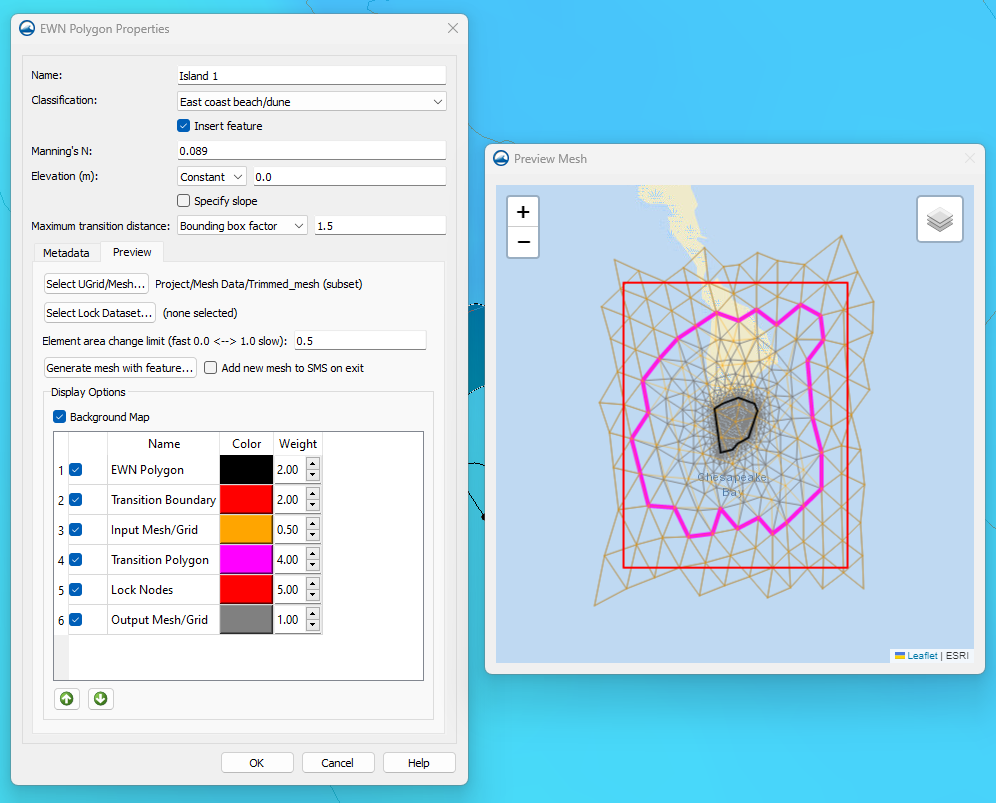
- Support for modeling concave polygons
- Fill a hole feature
- Lock specific cells to prevent mesh editing while using the Insert EWN feature and the EWN preview window
- Improved display controls for editing element colors & weights as well as arranging element order
- Preview is now a separate window from the EWN properties dialog
Additional Features
- Utilize DEMs in addition to meshes and scatter sets in the normal/critical depth calculator.
- Improved advanced web services support
- 3DEP data available for download through the Online Maps tool
- Files listed in the more Recent Files window from the File menu may be right-clicked to open the containing folder.
AdH Model Update
- SMS now supports version 4.7 of AdH
New Color Palette Dialog
SMS 13.3 includes a new color palette dialog. The tool features new palettes along with previously available palettes. Users can quickly view, select, and reverse palettes as well as mark palettes as favorites.

New Tutorials
New general and model-specific tutorials published to the SMS Learning Center:
- 3D Structures (3 total)
- Define Domain
- Urban Hydraulics (2 total)
- AdH
- AdH Advanced
- CMS-Flow Components
- CMS-Flow Simulation
As always, our comprehensive tutorials are free to download and provide step-by-step instruction on using SMS. Download tutorials at the SMS Learning Center
The following is a list of the more significant changes and new features available in SMS 13.2.
SRH-2D Interface & Model Updates
- Support for the latest model release: SRH-2D v3.5
- Sediment transport support
- Pressure simulated using ceiling dataset (generated from 3D bridges)
- Specify flow direction through a 1D structure
- Model HY-8 structures as "links" to allow for 2D overland flow
- Automatic calibration of models based on modifying Flow rates or Manning's N values to match field data
- Advanced simulation management to review scenarios with modified boundary conditions (inflows and exit), roughness values, and initial conditions
- Create floodway evaluation lines
- Unit flow-based floodway delineation
- Floodway delineation through a tributary
- Tools for simulation comparison
Map Module Updates
- Improved Blend function
- Improved Source/Target redistribution
- Create cross section from sequential points in xyz file
- Split cross section (Remove long arc segments tool)
- Orient cross sections to centerline (Reverse Right → Left Cross sections tool)
- Detect/remove invalid cross sections segments relative to centerline (Remove invalid cross section segments tool)
- Reproject cross sections relative to centerline (Reproject cross sections tool)
- Interpolate cross sections (tool)
- Trim cross sections (tool)
- Option to export map coverage attributes
UGrid Clipping Visualization
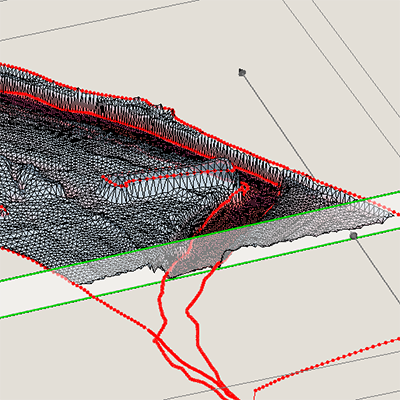
Use the UGrid Clipping tool to cut away portions of a UGrid and visualize data anywhere inside the UGrid using a clipping plane or scaler dataset values.
Data Portability
Data is now more shareable between projects allowing the user to export and import model specific coverages for use between projects. File organization has been updated with folders created next to the project file.
STWAVE Interface Updates
Improved and simplified population/specification of boundary condition wave cases.
SMS Toolbox

A new, general-purpose toolbox is now available in beta that allows SMS to execute Python scripts. These new tools help automate and simplify many workflows.
- Geometric Data: Manipulate, edit, and convert UGrids, scatter sets, and meshes
- Map Module: Manipulate coverage data, trim arcs using polygons, convert arcs to polygons
- GIS Data: Manipulate raster and Lidar data, blend rasters, and perform multisource raster interpolation
- Datasets: Perform mathematical operations and operate on datasets attached meshes, scatter sets, or UGrids
- Hydraulic Structures: Create bridge footprints
- ADCIRC Model: Add features to an ADCIRC model, validate/edit levees
- Other tools: Numerous additional tools are available and new tools will be added in future updates of SMS
New Display Themes
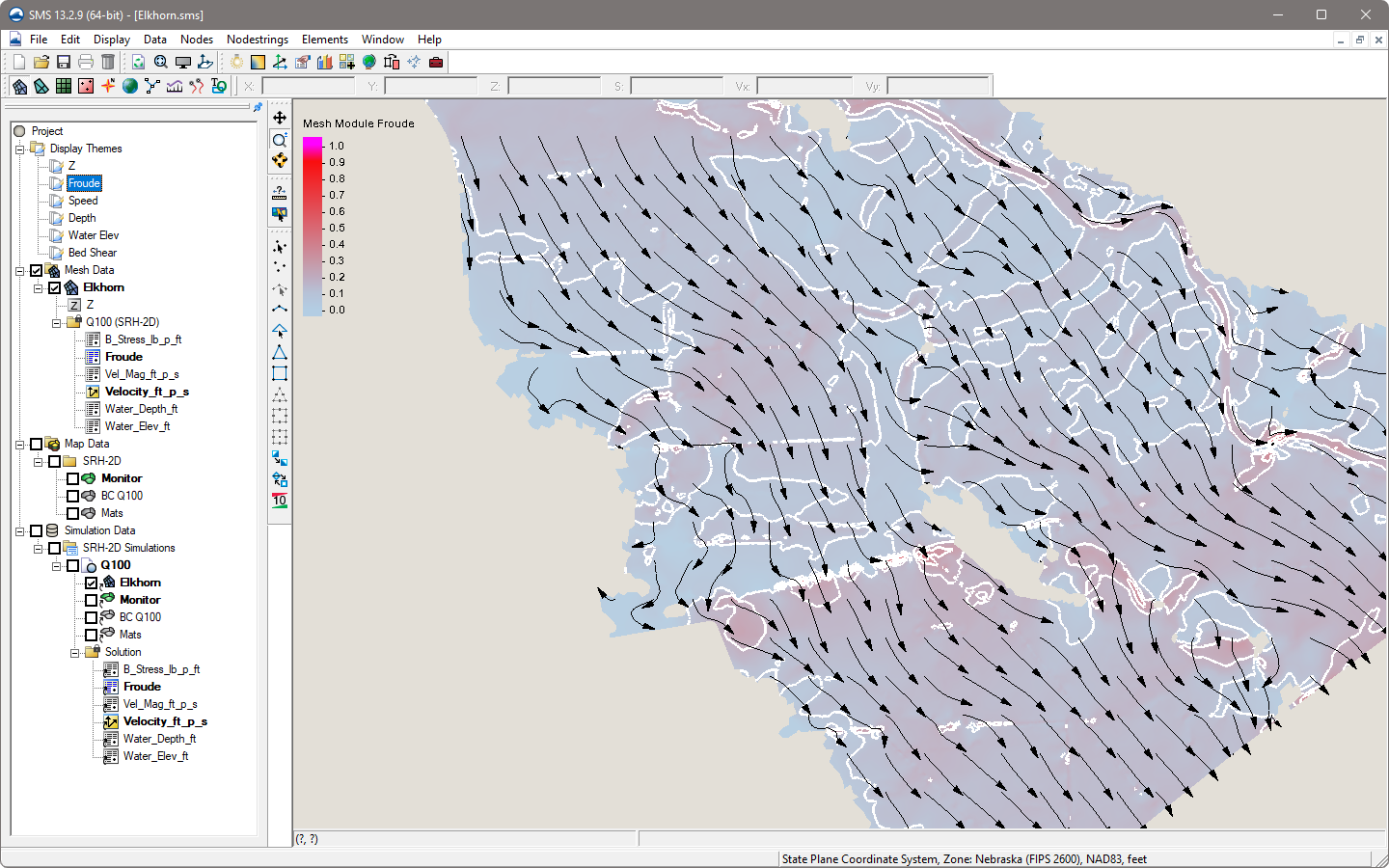
- New Display Themes - Create collections of specific display option settings that can be saved and applied to other projects
- New Contour label display options
- Expanded display options for GIS module data
User Requested Features
- List of 5 most recent projects shown in the File menu with a link to access project history for up to 100 projects
- "CAD" style commands
- Specify arc/line length
- Trim/extend arc
- Create horizontal/vertical segments
- Drag/move an arc
- Expanded Plot Wizard dialog
CMS Wave Interface Updates
The CMS Wave interface has been updated improve performance and support the latest model features including structures.
New Tutorials
New general and model-specific tutorials published to the SMS Learning Center:
- Bridge Meshing
- Datasets to Rasters
- Display Themes
- Display Themes - Additional
- Display Themes - Vector
- Floodway Methods
- Interpolating from Multiple Elevation Sources
- Sediment Volume Management
- Toolbox
- UGrid Clipping
- Variable Resolution Cell-Centered Grid
- EWN Add ADCIRC Levee to Mesh
- EWN Feature to Mesh
- SRH-2D Pressure Flow with 3D Bridges
- SRH-2D Reports
- SRH-2D Variable Flow Sediment Transport
- TUFLOW FV
As always, our comprehensive tutorials are free to download and provide step-by-step instruction on using SMS. Download tutorials at the SMS Learning Center
Improved TUFLOW Interface
The interface for TUFLOW FV has been updated to provided full custom support and compatibility with the current TUFLOW FV model release.
Engineering with Nature (EWN)
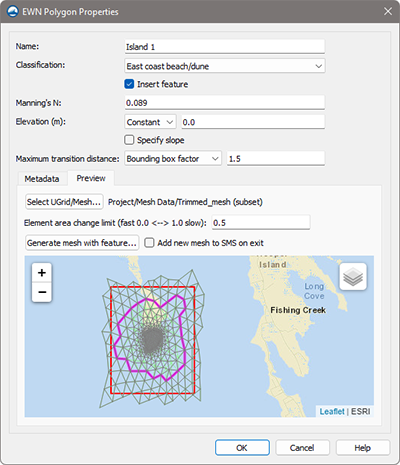
SMS 13.2 includes tools for implementing engineering features from natural environments in your model. Polygons are created to spatially delineate and classify levees, mangroves, marshes, and beaches/dunes.
ADCIRC Interface Updates
- Improved importing of ADCIRC native files (fort.14/grd, fort.15/ctl, fort.13)
- Mapped boundary condition visualization
- New interface to tidal databases
- Levee verification/editing tools
Toolbox for DMI Models
Python scripts are now supported for numerical model interfaces built with the Dynamic Model Interface.
AdH Model Update
SMS now supports version 4.6 of AdH
The following is a list of the more significant changes and new features available in SMS 13.1.
3D Bridge Modeling
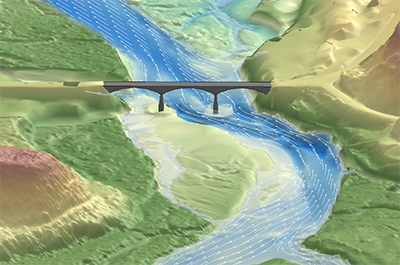
Visualize a 3D bridge in oblique views. Overlay bridge features on 2D profile and cross-section plots.
Extract Features
Generate streams, arcs, and cross sections from raster data.
Additional Online Maps
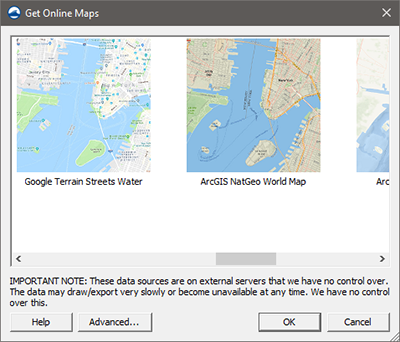
New map sources include Google Services (Hybrid, Map, Satellite, Terrain) and ArcGIS (NatGeo, Ocean, World Physical/Shaded/Terrain). Advanced Options allow for adding custom sources including FEMA Flood and Hazard maps.
Tutorials - SMS General
New tutorials are now available:
- 3D Bridge
- Annotation Cross Sections
- Bridge Scour Scenarios
- Cross Section
- Cross Section to Surface
- Dataset Toolbox
- Extract Features
- Extract Features for Mesh Generation
- Mesh Generation from Extracted Features
- Observation Data
- Raster to Flood Depth
- UGrid Clipping
- Unit Q Floodway Delineation
As always, our comprehensive tutorials are free to download and provide step-by-step instruction on using SMS. Download tutorials at the SMS Learning Center
Simulation Updates
Updated simulation management and improved preview mapping of components on model geometry.
Updated Floodway Delineation
Improved floodway delineation with new methods including Equal Conveyance and Unit q. Create 1D elevation cross sections.
ADCIRC
The ADCIRC Interface has been updated with expanded model feature support and improved performance.
CMS Flow
The CMS Flow coverages and model control have been updated in the CMS Flow Interface.
HEC-RAS 1D
SMS now supports a HEC-RAS 1D export option.
SRH-2D
The SRH-2D Interface and Model have been updated with new features and capabilities developed in collaboration with FHWA. Highlights include:
- New SRH-2D specific Floodway tools
- New and improved plots now available in the Model Run Queue
- New boundary condition option that allows 2D flow modeling for overtopping HY-8 culverts
- Output spatial datasets of “maximum” and “times of maximum”
- Updates to SRH-2D material coverage and material properties
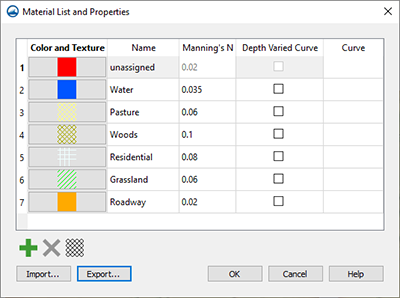
- New Channel Calculator tool for populating boundary conditions
- Improved management of HY-8 linkage
- Import native model files and automatically create simulations in SMS
Tutorials - SMS Supported Models
New tutorials are now available:
- HEC-RAS 1D
- SRH-2D Advanced Simulation - Calibration
- SRH-2D Advanced Simulation - Calibration Mannings
- SRH-2D Advanced Simulation - Scenarios
- SRH-2D Variable Water Surface Initial Condition
As always, our comprehensive tutorials are free to download and provide step-by-step instruction on using SMS. Download tutorials at the SMS Learning Center
New Software-based Licensing
SMS 13.2 offers 2 new licensing methods including Local and Flex licenses that are software based - no hardware required! Existing users will have the option of migrating to either method at their next maintenance renewal. Learn more
- Local license: Designed for use on a single computer and offers support for Remote Desktop & virtual machines
- Flex license: Offers the flexibility of sharing a license on your network as well as a check-out / check-in feature for remote work
GIS Module
Generate flood depths from a raster
Map Module
- Improvement to 1D Cross Section Tools including:
- Create interpolated cross sections
- Trim cross sections
- Efficiently convert cross sections to a TIN
- New Feature Extraction Tool. Leverage flow direction and accumulation models to extract topographic features
- New universal Select Objects tool
- Improved shapefile export
- Copy feature objects between coverages
- New arc annotation options to indicate direction and station Updates to the bridge scour tool
The following is a list of the more significant changes and new features available in SMS 13.0.
Simulation Run Queue
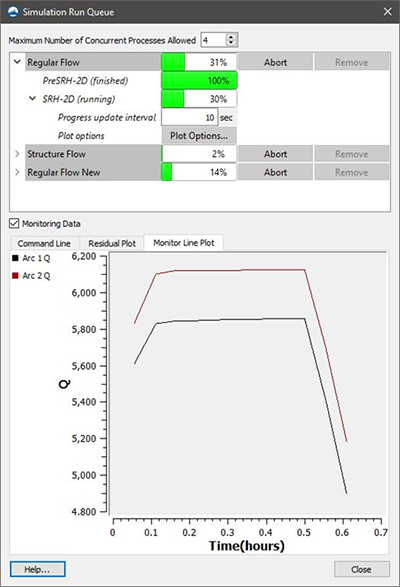
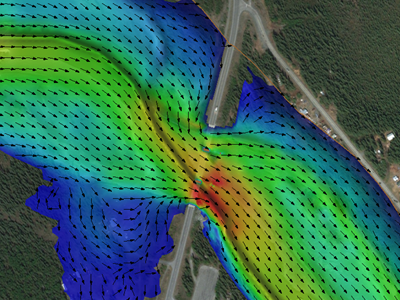
Manage multiple model runs for ADCIRC, SRH-2D, or STWAVE simultaneously in the new Simulation Run Queue. Diagnostic information such as monitoring plots is displayed during model runs. The new run queue is a modeless dialog which means users can continue using SMS while simulations are running. Completed runs may be visualized in SMS while additional runs are still in process.
Floodway Delineation Tool
The floodway tool is used to delineate approximate floodway extent arcs based on the geometry of the mesh, scatter set or cartesian grid used in a project.
Map Flood Tool
Quickly identify changing floodplain extents when changes occur to the floodwater elevation. SMS can help visualize the impacts of possible modifications in the flood level by utilizing ground elevations and existing FEMA flood hazard maps.
Bridge Scour Tool
The Bridge Scour coverage will take an existing dataset from a 2D hydraulic modeling of a bridge crossing and export many of the needed variables to the Hydraulic Toolbox for a scour analysis. Bridge scour output values may also be copied for use with other tools.
Core Module Improvements
- Constant paving density option (Map)
- Arc redistribution based on size function. This impacts mesh generation because it is not done automatically during mesh generation anymore. (Map)
- New ‘Snap Arcs to Mesh’ command which changes mesh nodes to match arc nodes and vertices (Map)
- Faster meshing (Map)
- Meshing now handles single segment breaklines (Map)
- Meshing no longer redistributes the arcs when scalar paving is used (Map)
- Ability to interpolate solution sets to another mesh (Mesh)
- Convert 2D scatter sets to raster data (Scatter)
LIDAR Management
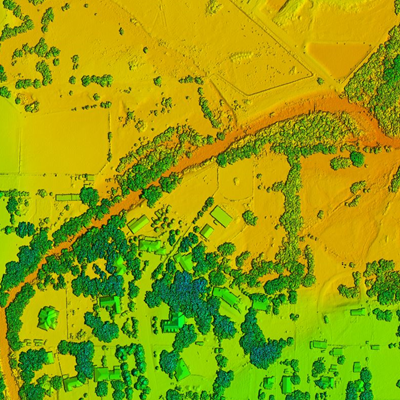
SMS now supports advanced LIDAR data handling tools for reading, viewing, and converting LIDAR data to other formats for use with your model. Large LIDAR datasets are efficiently displayed with options to specify the number of points visualized and exclude points outside the extent.
General Features
- Updates to the measurement tool
- Coordinate system preview option
- New GIS tab showing GIS information in the information dialog
- New Notes tab included in property dialogs
- Toolbox and scripting updates
- Web menu items moved to File menu
- Import STL files
- Improvements to Plots
- Select features and enhancements
Model Interface Improvements
- The ADCIRC and STWAVE interfaces have been updated to allow for multiple simulations in a single project
- The HEC-RAS, SRH-2D, and TUFLOW interfaces have been updated with additional features