




What's new in WMS 11.2
The following is a list of the more significant changes and new features available in WMS 11.2.
Keep your license current by paying annual maintenance to continue receiving all available updates, releases, and technical support. New licenses include maintenance for 1 full year.
WMS Toolbox
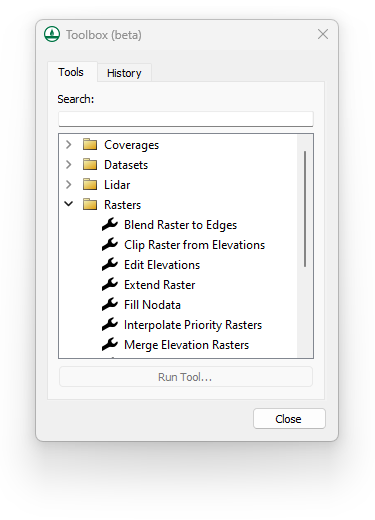
A new, general-purpose toolbox is now available in beta that automates and simplifies many workflows. Additional tools and macros can be easily added as they become available.
- Perform a wide range of geometric and raster calculations on Map module (coverage) data, LIDAR data, and Raster (image) data.
MP4 Film Loop Animations
Export film loop animations in MP4 format to view model results in a wide range of desktop and mobile applications.
WinTR-20 Now Supported
The WinTR-20 model is now included with the TR-20 interface in WMS 11.2. Save and run WinTR-20 models, then read and visualize the results. WinTR-20 is an updated version of the TR-20 model used in both the WinTR-20 and TR-55 programs.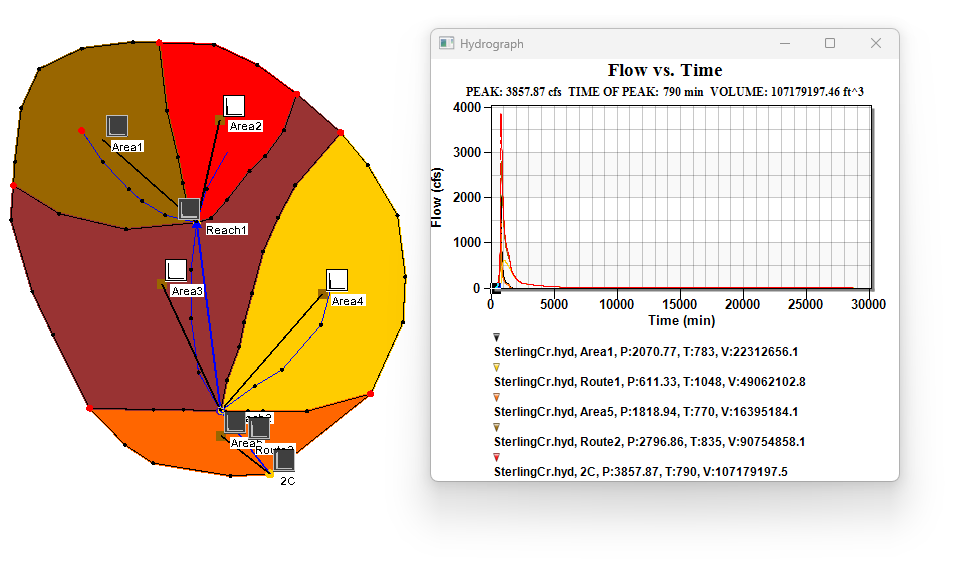
New Color Palette Dialog
WMS 11.2 includes a new color palette dialog. The tool features new palettes along with previously available palettes. Users can quickly view, select, and reverse palettes as well as mark palettes as favorites.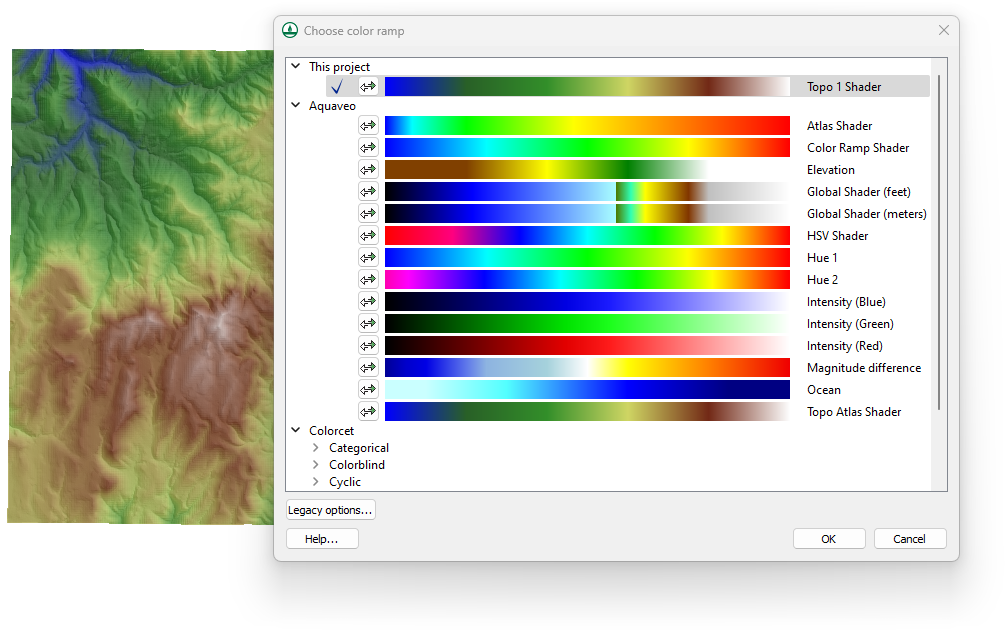
Tutorials
A new tutorial is now available for:
- WinTR-20
As always, our comprehensive tutorials are free to download and provide step-by-step instruction on using WMS. Download tutorials at the WMS Learning Center
The following is a list of the more significant changes and new features available in WMS 11.1.
HEC-HMS Updates
The most recent version of HEC-HMS (v4.4.1) is now supported in WMS 11.1.
GSSHA Updates
The most recent version of GSSHA (v7.13) is now supported in WMS 11.1. This new version also includes the capability to run calibration on Richard’s Equation parameters in GSSHA as well as view multiple scenario hydrographs in a solution..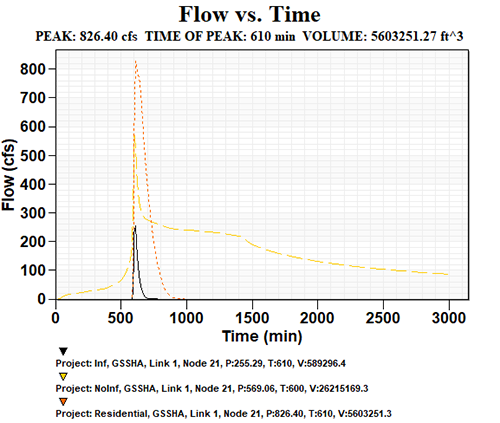
Rational Method
WMS v11.1 includes better support for entering/computing Rational Method IDF curves.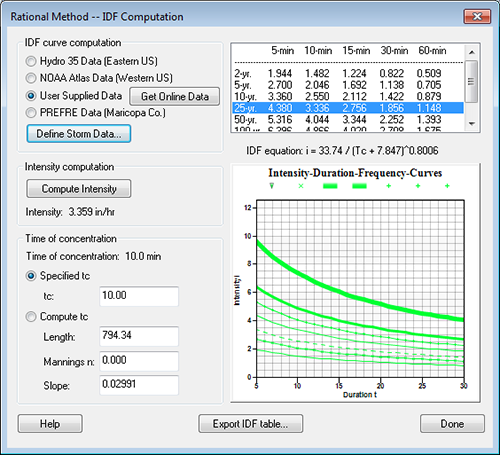
Extract Features Tool
The Extract Features tool allows direct conversion of raster data to stream and ridge/embankment centerlines.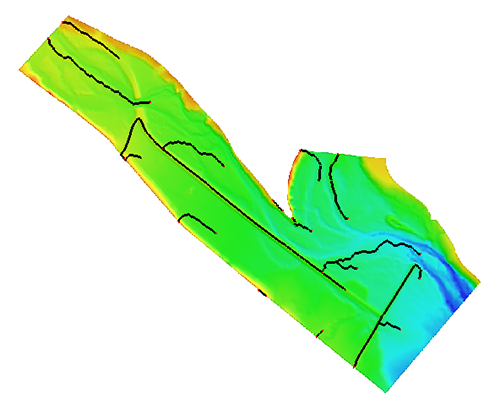
Map Flood Tool
The Map flood tool adds an option to use local shapefiles for Base Flood Elevations and floodplain boundary polygons when web service data are not available.
HY-8 and Hydraulic Toolbox
The latest versions of HY-8 and Hydraulic Toolbox are now available to use with WMS.
Other Model Interface Updates
The following numerical model interfaces in WMS have been improved and various issues have been fixed:
- HEC-1
- HEC-RAS
- NSS
- Rational
- MODRAT
New Software-based Licensing
WMS 11.1 offers 2 new licensing methods including Local and Flex licenses that are software based - no hardware required! Existing users will have the option of migrating to either method at their next maintenance renewal. Learn more
- Local license: Designed for use on a single computer and offers support for Remote Desktop & virtual machines
- Flex license: Offers the flexibility of sharing a license on your network as well as a check-out / check-in feature for remote work
GIS Module Additions & Improvements
- Faster/more robust GIS parameter computations directly from shapefiles
- Faster shapefile to feature object conversion
- Improved display speed of large raster files
- Addition of Web-based Google tile map services as Online Maps that can be displayed as background maps
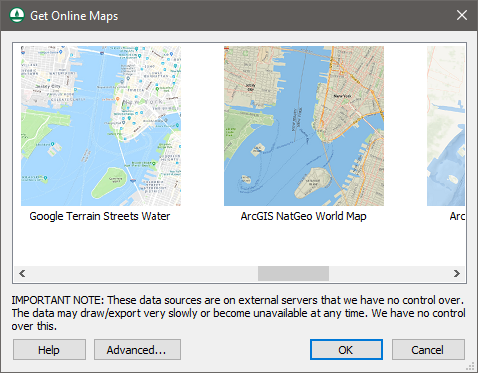
- Additional features to online maps to use tile map services and other types of services as online maps
- Improvements to display and operations on images and raster files of various types
The following is a list of the more significant changes and new features available in WMS 11.0.
LIDAR Management
WMS 11.0 now supports advanced LIDAR data handling tools for reading, viewing, and converting LIDAR data to other formats for use with your model. Large LIDAR datasets are efficiently displayed with options to specify the number of points visualized and exclude points outside the extent. WMS 11.0 supports LIDAR data in both Point Cloud and Elevation grid formats and supports converting Point Clouds to Elevation grids.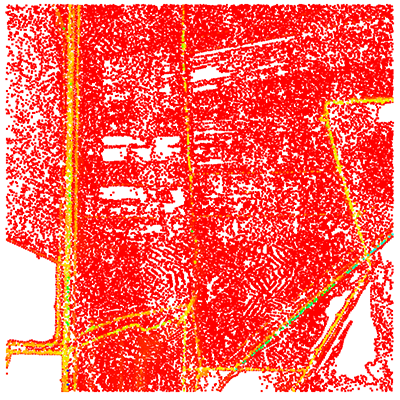
HEC-RAS and HEC-HMS Updates
The most recent versions of HEC-RAS (v5.0.3) and HEC-HMS (v4.2.1) are now supported in WMS 11.0. Importing HEC-RAS GIS (*.sdf) files is now faster and easier to use. Managing and editing cross section databases for HEC-RAS is now easier in WMS. A new dialog is available for selecting, managing, and editing cross sections and cross section databases.
New Map Flood Tool & Floodplain Delineation
A new map flood tool is available to define a vertical offset from a 100-year floodplain map for analyzing extreme flood scenarios. Modified floodplain maps can be used to determine the impacts of extreme weather and flood scenarios on existing and proposed roadways and other structures.
Floodplain delineation in WMS 11.0 is now streamlined and much faster than in previous versions - in many cases by a factor of 10.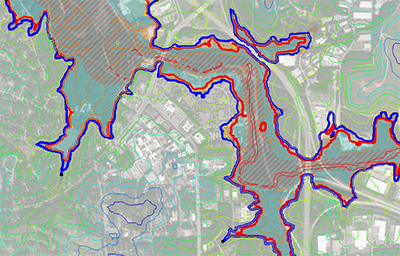
Worldwide Elevation Data
WMS now supports Amazon Terrain Tiles providing high resolution elevation data for the entire world with resolutions as high as 3 meters per pixel.
LandXML Import & Export
Support for reading and writing LandXML files from the hydraulic modeling module for the SWMM, HY12, and EPANET models has been added.
Graphics Enhancements
High resolution displays caused icons and text in older versions of WMS to render very small. WMS now detects your display resolution and appropriately sizes icon bitmaps and fonts. Icons may also be sized manually in the Preferences dialog. Additionally, a multisampling level tool has been added for adjusting the anti-aliasing of graphics.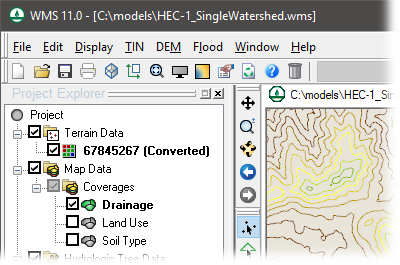
GSSHA Updates
The most recent version of GSSHA (v7.12) is now supported in WMS 11.0.
New & Updated Tutorials
All tutorials for WMS 11.0 have either been re-written or are newly released. As always, our comprehensive tutorials are free to download and provide step-by-step instruction on using WMS. Downloaded tutorials at the WMS Learning Center