




GMS - Groundwater Modeling System v10.8

Create 3D models
with speed & simplicity using
GMS - the most intuitive & capable platform
for groundwater & subsurface simulations
“I’ve used GMS for over 15 years on a wide variety of modeling and visualization projects. The conceptual model approach/tools and continuing improvements to the software allow me to efficiently develop cost-effective models for clients who are always concerned about their budget. The Aquaveo development team is very responsive to questions/suggestions and the online discussion group is a great forum for both users and developers...”
- Sean Czarniecki, P.E., Sr. Project Engineer
AECOM
Speed up & simplify model building with the conceptual model approach in GMS
We pioneered conceptual modeling and have refined it over many years. That's why GMS is the quickest and most intuitive groundwater modeling interface available. Construct a high level representation of the model using familiar GIS objects: points, arcs and polygons and easily update the model as needed. Conceptual modeling in GMS starts at $2,815 (including 3D visualization)
For models with simple geometry and boundary conditions, use the grid approach and edit values directly in the grid.
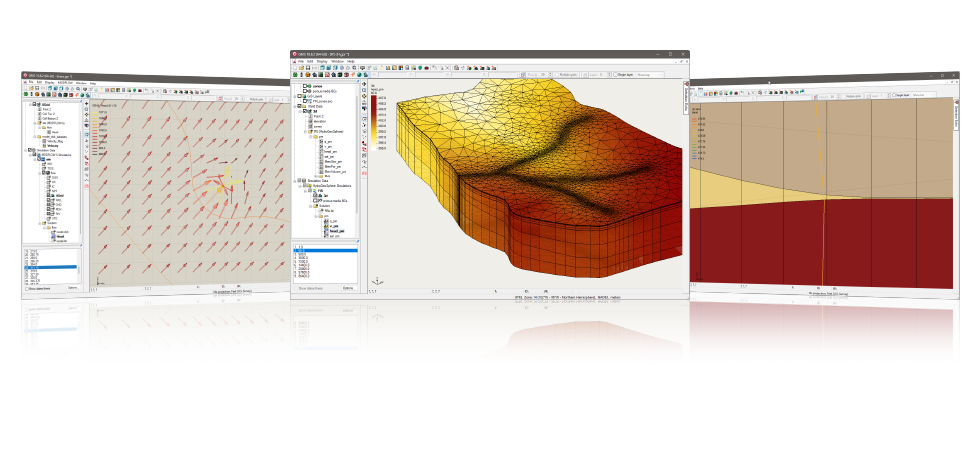
3D visualization optimized for performance
GMS is the most advanced software system available for performing groundwater simulations in a three-dimensional environment.
- Interact with models in true 3D
- Optimized OpenGL graphics for improved hardware rendering
- Create photo-realistic renderings
- Generate animations for PowerPoint or web presentations
- Drape images over the model and control the opacity
- Annotations – Add north arrows, scale bars, reference images, company logos, and more
Import a variety of data formats & imagery
Models require data from many different sources. That’s why GMS is built to easily import numerous file types:
- Raster images including georeference and projection support
- Topographical maps & elevation data
- Borehole data including stratigraphy and geophysical data
- Native MODFLOW files
- MODFLOW files from Visual MODFLOW, Groundwater Vistas and PM Win
- Web data services such as TerraServer
- ArcGIS geodatabases and shapefiles
- CAD files including .dwg, .dgn, and .dxf formats
- Worldwide projection support including Cartesian and Geographic Systems
- File Import wizard for delimited text files and spreadsheets
Advanced subsurface characterization
From cross-section editing to advanced probability statistics, GMS offers unparalleled subsurface modeling tools.
- Generate iso-surfaces from 3D data to visualize plumes
- Cut cross-sections anywhere through 3D data
- 2D & 3D geostatistics – Kriging, IDW and Natural Neighbor
- Robust and fast algorithms to create solids from horizons
Software from an industry leader
GMS is developed by Aquaveo, an engineering services company with many years of experience developing groundwater modeling solutions.
- Step-by-step tutorials and how-to videos
- Online product documentation
- Phone and email technical support
- Regularly scheduled training courses taught by expert modelers
- On-site training available
- Professional consulting services
GMS 10.8 System Requirements
- Operating System: Windows 10
- RAM: 16GB or more recommended
- CPU: GMS software is CPU intensive. Some models and utilities integrated with GMS can take advantage of multiple processor cores simultaneously. We recommend the fastest CPU your budget allows.
- Storage: Recommended storage amount will vary depending on individual data requirements. Latest versions of GMS are very disk I/O intensive.
- Mechanical hard drive: Basic performance
- SATA solid state drive: Better performance
- NVMe solid state drive: Best performance - Graphics: A dedicated graphics card is better than integrated graphics. A basic or mid-range nVidia card designed for gaming works best.
- Display Resolution: 1920 x 1080 or greater